Resource inventory
Identify instances, storage, databases and traffic.
Review compute, storage and running costs together. Define the architecture and responsibilities first; any savings or managed service scope must be assessed for your setup.
 Amazon Web Services
Identify instances, storage, databases and traffic.
Review usage and billing assumptions before making changes.
Agree monitoring, patching, backup and escalation ownership.
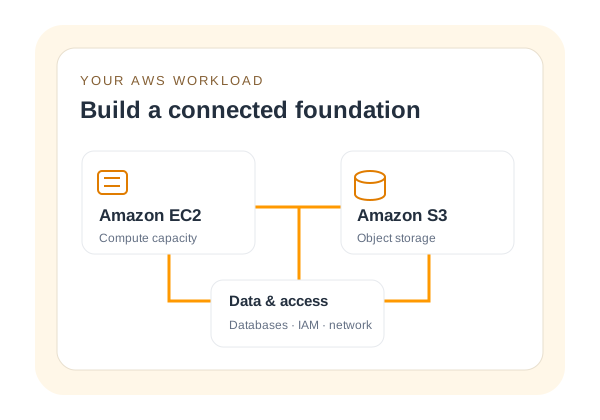
Choose virtual machine capacity around application demand, operating system and deployment region.
Product documentation ↗Store application objects, media and backup data with access and lifecycle requirements defined.
Product documentation ↗Map data services and network boundaries alongside the compute layer.
Product documentation ↗AWS consumption, MS License professional services and any third-party licences are separate cost items. Savings and response times are assessed for your scope; they are not guaranteed.
Review CPU demand, memory use, storage growth and peak traffic for your Amazon Web Services deployment. Separate minimum installation requirements from capacity needed during busy periods.
Agree administrator access, patching, firewall rules, backups and monitoring. Clarify which tasks belong to your team and which are included in the proposed service.
Test the application, connectivity and restore process before handover. Plan the migration window, a rollback approach and the checks that confirm a successful launch.
Tell us about aws services, regions, existing bill summary and required management scope.
Ready for handover. A documented configuration, agreed responsibilities and a deployment checklist for your team.
AWS services, regions, existing bill summary and required management scope.
The selected products, confirmed availability, licence terms and agreed delivery or management scope. Taxes and optional services must be identified before purchase.
Confirm the products, responsibilities and terms before you proceed.